Showing posts with label equipments. Show all posts

Ray-Ban Meta Smart Glasses


My new toy:


I recently came across a deal on a refurbished pair of Ray-Ban sunglasses for just $200, and I couldn't resist giving them a try. They look like the real deal to me, and I believe I got a great bargain.


While these glasses are slightly heavier than regular Ray-Bans, they're still quite comfortable to wear. The case adds some extra weight too, as it includes a built-in battery for recharging the glasses. Overall, the build quality is excellent, and everything feels solid and well-made.


To set up the glasses, you'll need to use the Meta app and a Meta account. I ran into a bit of trouble at first, but after a few tries, I finally got them paired. Once they're set up, using them is a breeze.

The Meta app also prompts you to connect to Apple Music or other audio apps, but it's not really necessary. You can simply use the glasses as regular Bluetooth headphones. I've had no issues using them to listen to podcasts.

One bug I noticed is that if you're using another Bluetooth headphone, taking off the glasses stops the audio on that device as well, not just on the glasses.

The Ray-Ban Meta smart glasses support voice control, enabling you to interact with your phone's virtual assistant, like Siri or Google Assistant. You can send messages, set reminders, check the weather, or get directions, all hands-free, simply by speaking commands.

You can tell it to take a picture or capture video using the voice command or you can use the button on its right arm. Just press the button to take a picture. To capture a video, hold the button down, and press it again to stop recording.

The Ray-Ban Meta smart glasses feature dual 12-megapixel cameras, which capture photos at a resolution of 3024 x 4032 pixels and videos at 1440 x 1920 pixels. The cameras offer high-quality imagery, allowing for clear and detailed photos and videos directly from the glasses. 

The quality is good enough. Here are some examples:


My use case for these glasses will be pretty straightforward. I'll mainly use them as regular sunglasses. When I don’t have my headphones with me or when wearing headphones isn’t practical, I’ll use the glasses as Bluetooth headphones. And occasionally, if I spot something interesting and don’t have time to grab my phone, I’ll use them to snap a picture or capture some video. Another way I'll use the glasses is to capture behind-the-scenes footage during my photo shoots. So what are your use cases?

SmallRig Cage and Handle

As I mentioned in my previous post, we cannot mount the handle to the cage directly. I think that is stupid. We need this extra part:


This one is: SMALLRIG Quick Release Safety Rail 

Another option is to the SMALLRIG Universal Low-Profile Quick Release NATO Rail

However, even with this, the screw holes do not line up:


I have to use the holes on the right and this is the end result:


Not sure why they designed it this way but this the way I got it to work:


with the side handle:


Rigging the Sony A7cII


I recently took a big step in my creative journey by purchasing the Sony Alpha 7C II camera. This compact yet powerful full-frame camera is renowned for its impressive image quality, 4K video recording, and advanced autofocus capabilities. Eager to dive into video production, I’m excited to explore how this camera can elevate my work. In the coming weeks, I’ll share my experiences with the Alpha 7C II on the blog, including tips and insights on maximizing its potential.

In this post, I’ll discuss how to rig the A7CII to enhance its performance. Rigging your camera can offer several benefits:

  • Improved Stability: A well-rigged camera system helps reduce camera shake and vibrations, which is crucial for achieving steady shots, especially in dynamic or handheld filming situations.
  • Enhanced Ergonomics: Rigs often come with handles, shoulder pads, or grips that make it easier to maneuver and operate the camera for extended periods, reducing fatigue and improving comfort.
  • Customization and Versatility: Camera rigs can be customized with different accessories like microphones, lights, follow focus systems, and matte boxes. This versatility allows for more creative and technical control over your shots.
  • Better Control: Rigging allows for better control over the camera's position and movement. This is particularly useful for complex shots or when using large cameras that are hard to handle manually.

I'll be unboxing and reviewing the latest offerings from SmallRig


Here are what I got:


Here is how the A7cii looks with the cage mounted:

Here is the bottom mounting screw:

To add extra stability and prevent the camera from shifting, tighten the M2.5 screw through the right shoulder strap hook hole of the camera:

To access the battery, you need to flip this latch:

and here is how it looks with the side handle attached:


I ran into problem when I tried to attach the top handle. The cage doesn't support the top handle out-of-the-box. That's stupid, SmallRig! What were you thinking? I will talk about the solution in the next post.

Why Leica Cameras are so Expensive?

That's a question I got asked a lot.


A Leica rangefinder camera, such as the M9, is more expensive than a high end Nikon or Canon DSLR and we are talking about just the camera body, lens is not included. People often say that it is so expensive because of the image quality that it produces. However, does that quality difference really justify the price difference?

I think we can look the question the same the way we look these two questions:
  • Why a car made by Bentley is so much more expensive than a car made by Toyota?
  • Why a bag from Hermes is so much more expensive than a bag from Coach?
The main reason that these high end luxury products are so much more expensive is because of their brand value or brand equity and people are willing to pay that price to own a product with that brand on it.

However, these companies cannot just put some junks together, put their brand on it, and sell it at a high price. They still need to build very high quality products that people want to buy. For example, the Hermes Birkin bags are handmade by highly trained craftsmen in France using the finest leather, as described here. And it takes a few days to make one compared to those high volume products that only take a few hours to make.

Similarly for Leica cameras, they are usually hand-made in Germany and they are not being made in high volume. The following is a video on how a special edition of a Leica camera is being made:


So here is the answer to the question on why Lecia camera is so expensive: it is a high quality and beautiful camera and some people are willing to pay that price for it.

Here is another video that talks about the Lecia M camera:

How to Pick the Best Camera

Do you know how to pick the best camera? What features do you consider? How expensive should it be?

Here's the answer: the best camera out there on the market today is...
...the one you have with you.
...the one you're actually going to use.

For most amateur photographers, any camera is the best camera

Ok, you probably didn't want to hear that. But it's true. No camera will automatically give you great photos if you don't have great composition and exposure. Cameras don't take pictures, photographers do.

Ansel Adams said, "The single most important component of a camera is the twelve inches behind it."

Fine, we hear you. So what camera should I buy??

For people who are starting out with photography as a hobby, get a camera set that you can comfortably afford.  Then learn as much as you can about exposure, composition, and other techniques that make great photographs.

Once you decide that you really enjoy photography as a hobby and you want some advanced features, then you can sell your old equipment and upgrade to higher-end models.

If you discover that you have a hidden talent in taking great pictures and you're thinking that you may actually want to make some money from your talent, then you can spend more money on fancy equipment. 

But your money will go furthest if you buy quality lenses. This makes a bigger difference than buying an expensive camera body.

What features should I look for?

The biggest myth when choosing a camera is that the megapixels make a big difference in the quality of your pictures. 

Says Ken Rockwell,
Even when megapixels mattered, there was little visible difference between cameras with seemingly different ratings. For instance, a 3 MP camera pretty much looks the same as a 6 MP camera, even when blown up to 12 x 18" (30x50cm)!
So unless your picture is going to be on a billboard, every camera currently on the market should be perfectly sufficient to meet your MP needs.

Instead, consider these differences between high-end DSLR vs. low-end DSLR vs. point-and- shoots.
  • Price (the difference between the top and bottom can be a few thousand dollars)
  • Response time (the time it takes the camera to take the picture when you press the shutter)
  • Auto-focus
  • Performance in low-light situations
  • Video capabilities
  • Weather-proof builds

Back to the main point: the best camera is the one you always carry

And what do you never leave home without? That's right: your phone!

An iPhone (or any smartphone) is the one camera that people always have with them.

So here's how to tell if you're a true photography buff: if you're constantly snapping pictures with your iPhone, especially of things that most people wouldn't consider photogenic, then you can consider yourself a real enthusiast.  In that case, you're probably someone who would take advantage of the extra features of a DSLR. Especially if you find using your iPhone as a camera annoying due to its lack of features (can't adjust ISO, shutter speed, or aperture), slow response time, and inability to change lenses.

So before you spend the extra cash to upgrade your seemingly boring run-of-the-mill camera to a fancy high-end model, figure out honestly how much you intend to use it. If your expensive DSLR sits at home most of the time, then that is probably not the best camera for you.

But if you really have money burning in your pocket, here is your shopping list (I am a Nikon shooter, sorry Canon fans):

Lytro Camera: Why You Should Wait For v2.0


According to the company's website, the Lytro camera has a light field sensor that captures 11 million light rays. This basically means that it captures all light traveling in every direction. Sophisticated software then allows you to do all sorts of things with the photos as a result. You can change the perspective, refocus, and supposedly even switch between 2D to 3D.

Even to a non-scientist like me, this technology is pretty amazing. But advertised as a simple point-and-shoot with additional refocusing capabilities, this camera comes up short.


Minimalistic Design
Depending on your preference, you can either consider the Lytro's design as sleek and stylish or bare-bones and plain. 

With the Lytro, it almost looks like you're pointing a flashlight. But hey, maybe that's a good thing if you're trying to take photos incognito. It's definitely small enough to fit in your pocket and even hide in your hand.

Unfortunately, its small size doesn't make the screen easy to see. The screen resolution is only 128x128, not to mention that it washes out if you're not looking at it straight on. Very often you have to guess that you've composed the picture correctly and confirm it later when you download it.

The lens cap also only attaches with only a magnet so it's not very secure. It often falls off in the camera bag (Kelvin's pet peeve). Worse is if the cap falls off outside the bag without your knowledge and it's gone for good.

Functions
The Lytro has an Everyday mode and a Creative mode. With the Everyday mode, you can pretty much point and shoot, and you can zoom up to 3.5x. Creative mode gives you slightly more flexibility. Zoom goes up to 8x. You can also take macro shots with a shallower depth of field.

If you're a professional photographer, you may feel limited in the Lytro's lack of functionality. But that's the point, right? You can concentrate on composing your photos and worry about the correct focus later. Of course, that goes against the grain of many pros who want the perfect shot with the camera, not a perfect shot after a lot of post-processing.

Performance
Of course, the simple design and limited functions means this camera is easy to use. Like I said already, point and shoot. The speed is pretty fast--not like a DSLR, of course--but probably as fast or faster than most point-and-shoots and definitely faster than a smartphone camera.

Image Quality
None of the advantages means beans if the picture quality is poor. The Lytro shoots pictures with 1080x1080 resolution, good enough for 5x7 prints, according to Engadget. Photos look pretty decent if the shots are well-lit and you have layers of focus. But don't try to take landscape shots with this camera; you won't get much detail in them other than noise.

Software
The camera saves pictures in "Light field picture" file, or .lfp. Lytro's accompanying software lets you perform some basic editing, which really only involves clicking on different parts of the picture to change the focus.

The software also has social media sharing capabilities, but the pictures will upload as .lfp if you upload through the software. If you want your regular .jpg file, right click on the photos.

In General
This camera looks cool, so if you want something new and hip to take pictures with, and the $399 price tag is not a budget buster, then have at it. But if you want more functionality with better quality photos, get a DSLR. If you want better quality photos at a cheaper price, get a regular point-and-shoot. It's not hard to vote against the Lytro camera in its current form. The potential of the technology is nothing short of amazing, but until we can get more functionality out of it, then the technology is only going to sound good on paper.

Here are some of the pictures taken by our own Lytro camera. Click on different parts of the picture to change the focus. Interactive and fun!


By: Elaine Yue | elaineyue.com

Nikon D800


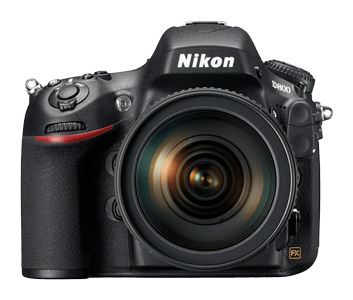
Nikon D800 is finally here. Here are some of the links around the net: Here is the official D800 microsite. You can pre-order it at Amazon.


And here is a video taken with the D800:


Joy Ride from Sandro on Vimeo.


Another behind the scene shooting with the D800

Camera Bag for Leica

Leica M9 and Leica M9-P are the smallest full frame camera today. After getting one of those, it is time to find a nice bag for it. There are tons of high quality "Leica" style bags, examples are listed here. bu personally, I want a small camera bag that does not look like a camera bag. And when I go out, I don't want to look a tourist or a photographer. I want to be able to blend into the crowd.

Currently, I own a couple of other camera bags for my equipments. The first bag I bought is the Kata DPS-3N1-20 3in1 Sling Backpack. It is a nice bag and it has a lot of room for my equipments. However, I always got stopped by the security at the museums in San Francisco for carrying this bag. They said it is too big to wear it on my back inside the museum and I can only hand-carry it inside. It is not a bag built for hand-carry and I am tired of getting of that, so I now only use this bag for hiking or outdoor shoot.

Then I bought the 6 Million Dollar Home bag from Crumpler. It is smaller than the Kata and it is wore on the shoulder instead of the back. I haven't never been stopped inside a museum after using this bag. This bag is big enough to hold my Nikon D300 with the MB-D10battery pack attached. Two lenses: 17-55 f2.8 and 70-200 f2.8 and a SB-800 flash. However, this still looks like a camera bag and it has too much room for the Leica.

After doing some research, I found the following bags that fit my requirements: All the reviews on them are pretty good but I want something that is more "stylish." Then I read about people using their own bag as camera bag by putting an insert like this inside. The dividers inside the one from Domke are fixed but I found Haven Camera Pouch from Crumpler. It is more expensive than the one from Domke but it seems to be better built and has more pockets.

I went to their store in San Francisco to check it out. They let me trying it out with the camera and my bag. The small size version is a perfect. It also has extra pockets in the front for cables and memory cards. The dividers inside are adjustable and removable. It is well built as any other Crumpler products. I am sold.

Here is the size comparison:


Leica M9-P inside the Haven Camera Pouch:
The camera pouch inside a regular bag that I have:


The regular bag in front of theKata 3N1-20and the Crumpler 6 Million Dollar Home.


And the side view comparison. My regular bag with the pouch insert is about half of the thickness of the other bags:
Top view:
Also fits an iPad:
Another size comparison:

Camera Strap for Leica

The camera strap that comes with my Leica does not look very good with the camera. Also I don't want a strap and goes around my neck. I tried to go without a strap but it made me feel nervous of dropping the camera. So I was researching for other options and I found a simple hand strap would go well with the Leica.

There are many different options and prices for a hand strap.

There is the Gordy's camera straps which is about US$18 to US$20 and you can also add a waist pad and a strap bumper for additional dollars. This is hand made in US.

Then there is the famous "hand made in Italy" Luigi's hand strap. This will cost you at least EURO 35.

Another choice is from Artisan & Artist. This is made in Japan and will cost you at least US$79.

Since I was not sure if I would like to use a hand strap, so instead of spending a lot of money, I ended up getting a cheapest one from Amazon for about US$6 + S&H just to try it out.

The strap is better than I expected. It is well-built and the leather is pretty good quality. Here are a couple of pictures after it is installed:


You can buy one from here.

Leica M9-P Unbox

Here are my pictures of unboxing the Leica M9-P:
Also being unboxed is the Leica Summicron-M Lens - 50 mm - F/2.0. I bought it on eBay, so the box is a little beaten up.


The camera with the lens:
The images of the full unboxing sequence are here.

In Search of the Perfect Trigger (Part 5)


We have been taking about flash triggers and each of them has it's pros and cons. The best trigger I have ever used is the made by Pocket Wizard. It is very reliable and it can trigger from very far away. It does not have the line-of-sight requirement. The issue I have is it is very expensive (about US$140 each and you need at least 2). Here are the pros and cons of Pocket Wizard:

  • Pros:


    • Reliable. No line-of-sight requirement. Can trigger from far away.
    • Scalable. Just add more Pocket Wizards if you want to add my flashes.

  • Cons:


    • Very expensive.
    • No TTL
    • The device is bigger than I expect but it is not that heavy.


Now the question is which trigger do I use? The answer is all of them.
In a simple one or two flashes setup, I would use Nikon CLS. It is quick and simple to setup. When I need to use more flashes and non-Nikon flashes (i.e. AlienBees), then I would use a mix of triggers. Here is my typical setup:

  • AlienBees: triggered by its internal optical trigger.
  • Nikon SB800: set to SU-4 mode to be triggered optically.
  • Nikon SB600: plugged it to the pocket wizard and to be triggered by it.
  • Vivitar 256: plugged it to the Sonia optical trigger.


I plug another Pocket Wizard on the camera's hotshoe. Now when I push the shutter,
The SB600 will be triggered and its light will trigger the other flashes. This setup works very well in my studio setup and it is much cheaper than using 3 or 4 Pocket Wizards.

In Search of the Perfect Trigger (Part 4)

The optical trigger and the Nikon CLS both require the slaves to be in the line of sight of the master. Sync cable does not have that requirement but it is not very flexible. The next method is to use wireless trigger.

I got this wireless trigger on eBay for less than $20. It's brand is Jianisi or JN and it's model number is PT-04TM. It is an OK trigger, when it works. The reason I said that is because something it does not trigger and I need to "reset" it by switch the channels and the on-off switch. Another thing that I don't like is the receiver is too long if I mount the flash on the hotshoe. It does not feel that stable when mount the setup on a lightstand with an umbrella. I can use the sync port but then there is no way to place the receiver on the stand.


Here are the pros and cons:

  • Pros:

    • No light of sight requirement
    • Can trigger multiple receivers
    • Once it is working, it works pretty well

  • Cons:

    • Sometimes it does not work. Need to be "reset"
    • The receive is too long if mount the flash on the hotshoe
    • There is no other way to mount the receiver on a stand

In Search of the Perfect Trigger (Part 3)

Both the Sonia and the Nikon CLS are triggered by the light from the master flash. CLS is more sophisticated because it allows you to control the slave flashes' setting from the camera. However, both of them have the same drawback: the requirement of staying in the line-of-sight between master and slaves. This is especially a problem when shooting outdoor.

The cheapest and the easiest way to solve this problem is to use the sync cord or sync cable. Plug one end to the camera and plug the other to the flash and you are done. You can move around without worrying about the master flash is pointing to the sensor of the slave flash, as long as you are within the reach of the sync cord.

Here are the pros and cons of using sync cords:

  • Pros:

    • Cheap. A few dollars will get you one.
    • Reliable. As long the connectors are secured to the camera and the flash, you know for sure the flash will be triggered.

  • Cons:

    • Not scalable. You can only connect one flash to one camera using one cable. You can use an extra adapter to plug in more flashes but there is still a limit.
    • Limited distance. You can get a pretty long cable but you still have a very limited shooting distance. Also you may get tripped up by the cable while walking around.


I only use sync cord when I use a hand-held off camera flash. Quick and simple and I don't need to worry about my fingers are blocking the optical sensor. It is just not quite meet all the requirements for shotting in the studio.

In Search of the Perfect Trigger (Part 2)

The next triggering device or triggering method that I am going to discuss is the Nikon CLS (Creative Lighting System). This system triggers the flashes optically but it is a lot of more sophisticated than the optical trigger I talked about in the previous post.

CLS is built in to the sb900, sb800 and SB600 flashes. With SB900 and SB800, you can use them as either a master or slave. With SB600, you can only use is as slave. It is also built in to some of the newer Nikon DSLR, e.g. D300 and D700. You can use the camera's built-in flash to trigger the off camera flashes. Or you can use the SU800 as the master trigger.

There are many articles on CLS already and there is even a DVD from Nikon that teaches you how to use it. Therefore, I am not going to spend time on it. I will go
directly to the pros and cons on using Nikon CLS as the triggering method.


  • Pros:

    • Much more sophisticated than the regular optical triggers. It supports iTTL and it even allows you to adjust the settings of the remote flashes from the camera
    • Built-in to the flashes. No extra component to buy. No extra battery is needed.
    • Very Scalable. It can trigger many flashes with different settings.

  • Cons:

    • Nikon only. Not compatible with other vendors. So it does not work with my Vivitar, Canon and Alien Bees.
    • Still an optical trigger. Still need to make sure the master and slaves are in the line-of-sight.
    • It allows you to use the on-camera flash as the master but with the line-of-sight requirement, you may need to use a separate master to trigger. You can get another SB900, SB800 or SU800 to do that but they are very expensive.
    • It cannot be mixed with other optical triggering slaves because the pre-flashes will trigger them.


I have written a few other posts on using it on location and with my softbox. You can find those articles here and here. In general, I like Nikon CLS very much because I don't need to carry extra components and I can set everything from my camera. I use it whenever I can. However, I still need a way to trigger my flashes from other vendors.

By the way, with SB800 and SB900, you can put them into something called the SU-4 mode. Basically, it put them into the simple optical trigger mode. Now you can mix them with other optical triggering slaves. I use this a lot in the studio setting. I use the Alien Bees as the master flash and the SB800 as the slave in SU-4 mode. I can add my Vivitar using the Sonia optical trigger. Now I can use 3 flashes in the same. I just need to use manual mode for all of them.

There is no SU-4 mode in SB600 and there is no sync port. It cannot be a CLS master. However, it is at least $100 cheaper than a SB800 (used). So if I want to use the SB600, then I put the Sonia on it or a hot-shoe adapter to give it a sync port. I only use the SB600 if I have to as it is not as flexible as the SB800.